

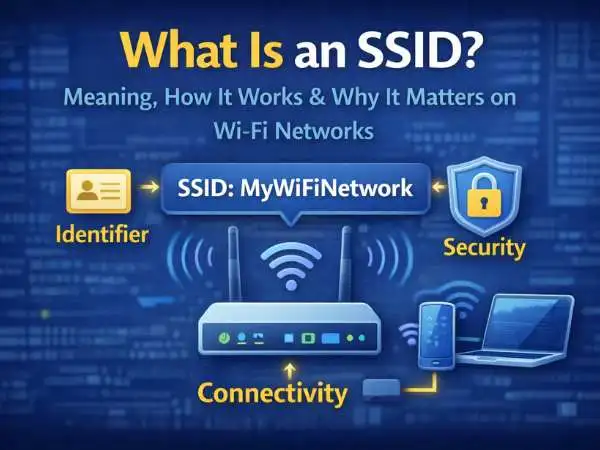
If you’ve ever connected your phone or laptop to Wi-Fi, you’ve seen a list of network names appear on your screen. Each of those names represents something called an SSID. People see the term often but still ask basic questions like what is an SSID, what is an SSID on WiFi, what is my SSID, or even what is an SSID number.
The truth is, SSID is simple in concept but powerful in function. It controls how wireless networks are identified, how devices connect, and how network security is managed in homes, schools, offices, and public places.
This blog explains SSID in deep detail. We’ll cover what an SSID is, how it works, who assigns it, how to find it on phones and computers, why changing it matters, how SSIDs work in schools, and how SSIDs affect privacy and security. Every section is fully developed, with no thin explanations.
What Is an SSID
An SSID stands for Service Set Identifier. It is the name given to a wireless network.
In simple terms, an SSID is how a Wi-Fi network identifies itself to nearby devices. When your phone scans for available Wi-Fi, each network name you see is an SSID.
Without SSIDs, devices would not know which wireless network they are trying to join.
also read : – The Secret to Launching Your Own Mobile Brand Is Easier Than You Think
What Is an SSID on WiFi
When people ask what is an SSID on WiFi, they are really asking how Wi-Fi networks are labeled.
On Wi-Fi, an SSID acts like a public label. It tells nearby devices:
- a wireless network exists
- this is its name
- you may try to connect
The SSID does not automatically grant access. It only announces the network’s presence. Authentication still depends on passwords or other security methods.
What Is an SSID Network
An SSID network refers to the wireless network associated with a specific SSID.
Every SSID represents:
- one logical wireless network
- one set of configuration rules
- one security profile
Multiple devices can connect to the same SSID at the same time, sharing the same network resources.
In larger environments, multiple access points can broadcast the same SSID to create seamless coverage.
How SSID Works in a Wireless Network
Understanding how SSID works requires looking at how Wi-Fi communication begins.
When a router or access point is active, it:
- broadcasts beacon signals
- includes the SSID in those signals
- announces availability
Nearby devices listen for these broadcasts. When a user selects an SSID, the device attempts to connect using the network’s security settings.
This process repeats constantly to maintain connectivity.
also read : – Precise Meeting Documentation via AI Transcription Tools
What Is an SSID Number
The phrase SSID number often causes confusion.
Technically, an SSID is not a number. It is a text-based identifier. However, people sometimes call it an SSID number because:
- routers may assign default names with numbers
- schools and institutions use numbered SSIDs
- users see numeric labels like “WiFi_1234”
Those numbers are part of the SSID name, not a separate identifier.
Why SSIDs Often Contain Numbers
Manufacturers often include numbers in SSIDs to:
- avoid duplicate names
- identify specific devices
- simplify mass deployment
For example, routers may use serial-number-based SSIDs. Schools may number SSIDs by building or network type.
What Is an SSID Number for School
In schools, SSIDs are often structured and purposeful.
A school SSID may:
- separate student and staff access
- apply different security rules
- limit bandwidth or permissions
For example:
- “School_Student”
- “School_Staff”
- “School_Guest”
Each SSID represents a different network policy, even if they share the same physical infrastructure.
Why Schools Use Multiple SSIDs
Schools rely on multiple SSIDs to:
- protect sensitive data
- control access levels
- manage large numbers of users
Using separate SSIDs helps keep academic systems secure while still offering internet access.
also read : – How To Recover Deleted Apps In IPhone: Steps To Recover Deleted Apps
Who Assigns SSID
Many people ask, who assigns SSID?
The answer depends on the environment.
Home Networks
At home, the router assigns a default SSID. The owner can change it anytime through router settings.
Schools and Offices
In institutions, network administrators assign SSIDs based on policy and structure.
Public Wi-Fi
In public spaces, businesses choose SSIDs for branding or clarity, such as café or airport names.
Can an SSID Be Changed
Yes, SSIDs can be changed easily.
Most routers allow users to:
- rename the SSID
- broadcast or hide it
- create multiple SSIDs
Changing the SSID does not damage the router or network.
also read : – How Can Developers Improve Payment Processing
Why Should I Change My SSID
People often ask, why should I change my SSID if it already works.
There are several strong reasons.
Security Reasons
Default SSIDs often reveal the router brand. This information can help attackers guess vulnerabilities.
Changing the SSID reduces exposure.
Privacy Reasons
An SSID with personal information can expose identity or location. A neutral name protects privacy.
Organization Reasons
Custom SSIDs make it easier to identify the correct network, especially in crowded areas.
What Is My SSID
What is my SSID simply means the name of the Wi-Fi network you are currently using.
You can find it on:
- your phone
- your computer
- your router settings
Your device always connects to a specific SSID, even if you don’t notice it.
How to Find SSID on Phone
Finding the SSID on a phone is straightforward.
On Android Phones
You can:
- open Wi-Fi settings
- look at the connected network name
That name is your SSID.
On iPhones
You can:
- go to Wi-Fi settings
- check the network with a checkmark
That network name is the SSID.
also read : – The Main Industries and Systems That Require Electrical Test Systems
How to Find SSID on Computer
On computers, SSIDs appear in the Wi-Fi menu.
On Windows
Click the Wi-Fi icon and view the connected network name.
On macOS
Click the Wi-Fi symbol in the menu bar. The connected SSID is highlighted.
Hidden SSIDs Explained
Some networks hide their SSID.
A hidden SSID:
- does not broadcast its name
- requires manual connection
- still exists and functions
Hiding an SSID does not provide strong security. It only reduces visibility.
SSID and Network Security
SSID plays a role in security, but it is not a security feature by itself.
Security depends on:
- encryption type
- password strength
- authentication methods
SSID simply identifies the network.
Can Two Networks Have the Same SSID
Yes, two networks can share the same SSID.
This is common in:
- large buildings
- campuses
- offices
Multiple access points use the same SSID to allow seamless roaming.
also read : – Ensuring Reliability with the Highly Accelerated Life Test
SSID vs Wi-Fi Password
SSID and password serve different purposes.
- SSID identifies the network
- password controls access
You can change one without changing the other.
SSID and Network Roaming
When multiple access points share an SSID, devices can move smoothly between them.
This creates:
- stable connections
- fewer dropouts
- better coverage
This setup is common in enterprise networks.
SSID and Band Separation
Some routers create multiple SSIDs for:
- 2.4 GHz band
- 5 GHz band
This allows users to choose performance or range.
SSID in Public Wi-Fi Networks
Public Wi-Fi SSIDs are often open or semi-secured.
Users should:
- avoid sensitive activities
- verify SSID names
- watch for fake networks
Fake SSIDs can mimic legitimate ones.
SSID Spoofing Explained
SSID spoofing happens when attackers create networks with misleading names.
This can trick users into connecting. Awareness and caution reduce risk.
Best Practices for SSID Naming
Good SSID naming helps with clarity and safety.
Best practices include:
- avoid personal details
- avoid offensive names
- keep names recognizable
A clean SSID reduces confusion.
Common Myths About SSIDs
Several myths persist.
- SSID hides data traffic
- SSID equals security
- SSID must be numeric
None of these are true.
SSID in Home Networking
At home, SSID management improves:
- device organization
- parental controls
- guest access
Many routers support separate guest SSIDs.
SSID in Enterprise Networks
In enterprise settings, SSIDs support:
- role-based access
- network segmentation
- policy enforcement
SSID design is part of network architecture.
also read : – Will Your Business Be Left Behind Without Cloud Computing?
Why Understanding SSID Matters
Understanding SSID helps you:
- connect correctly
- avoid fake networks
- manage home Wi-Fi
- troubleshoot issues
It’s a small concept with large impact.
Final Thoughts on What Is an SSID
An SSID is more than just a Wi-Fi name. It is the identifier that allows wireless networks to exist, expand, and stay organized. From home routers to large school campuses, SSIDs define how devices find and join networks.
Knowing what an SSID is—and how it works—gives you control over your wireless experience, improves security awareness, and reduces confusion in everyday connectivity.
also read : – How Billing Apps on POS Machines Are Helping Merchants Boost Profitability
FAQs: What Is an SSID
What is an SSID
It is the name of a wireless network.
What is an SSID on WiFi
It identifies a Wi-Fi network to nearby devices.
What is my SSID
The Wi-Fi network name your device is connected to.
Who assigns SSID
Router owners or network administrators assign it.
Why should I change my SSID
For privacy, clarity, and basic security improvement.